Worksite Pro Team Text Alerts
Last updated: September 16, 2026
The program
The Roof Guys (Skyline Solutions LLC, DBA The Roof Guys, Clarksville, TN) sends text alerts to its own team members who use Worksite Pro, its project management app. A text is sent when a teammate tags them in a note on a customer's roofing project, or adds a supplement note to a project they manage, so customer questions, insurance supplements and schedule changes get handled fast. These texts are work alerts only. We never send marketing or promotional messages through this program.
Who can opt in, and how
Text alerts go only to team members of The Roof Guys who have agreed to receive them. A team member adds their own number while signed in to their own Worksite Pro account, or a team owner or admin adds it for a teammate who has agreed to get text alerts. Your first text says how to opt out, and that reminder repeats at least once a month. Replying STOP ends them at any time.
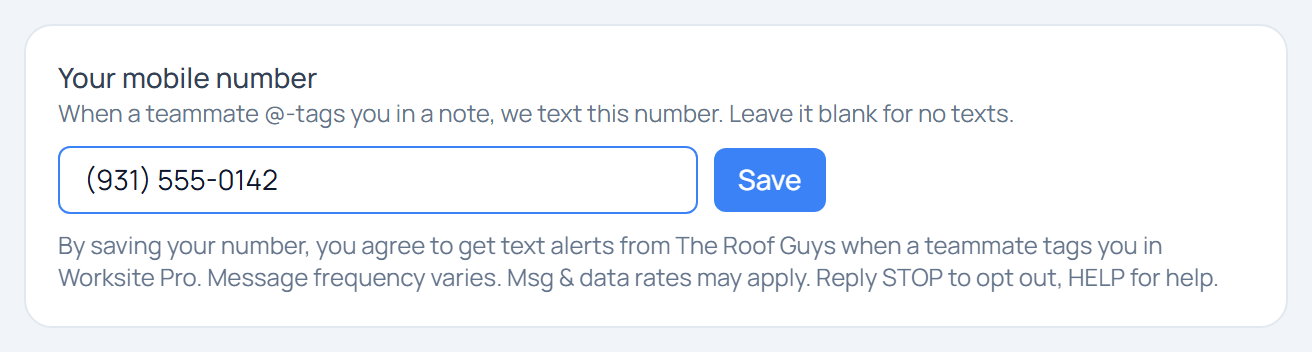
- On the web: Settings → Team → “Your mobile number”.
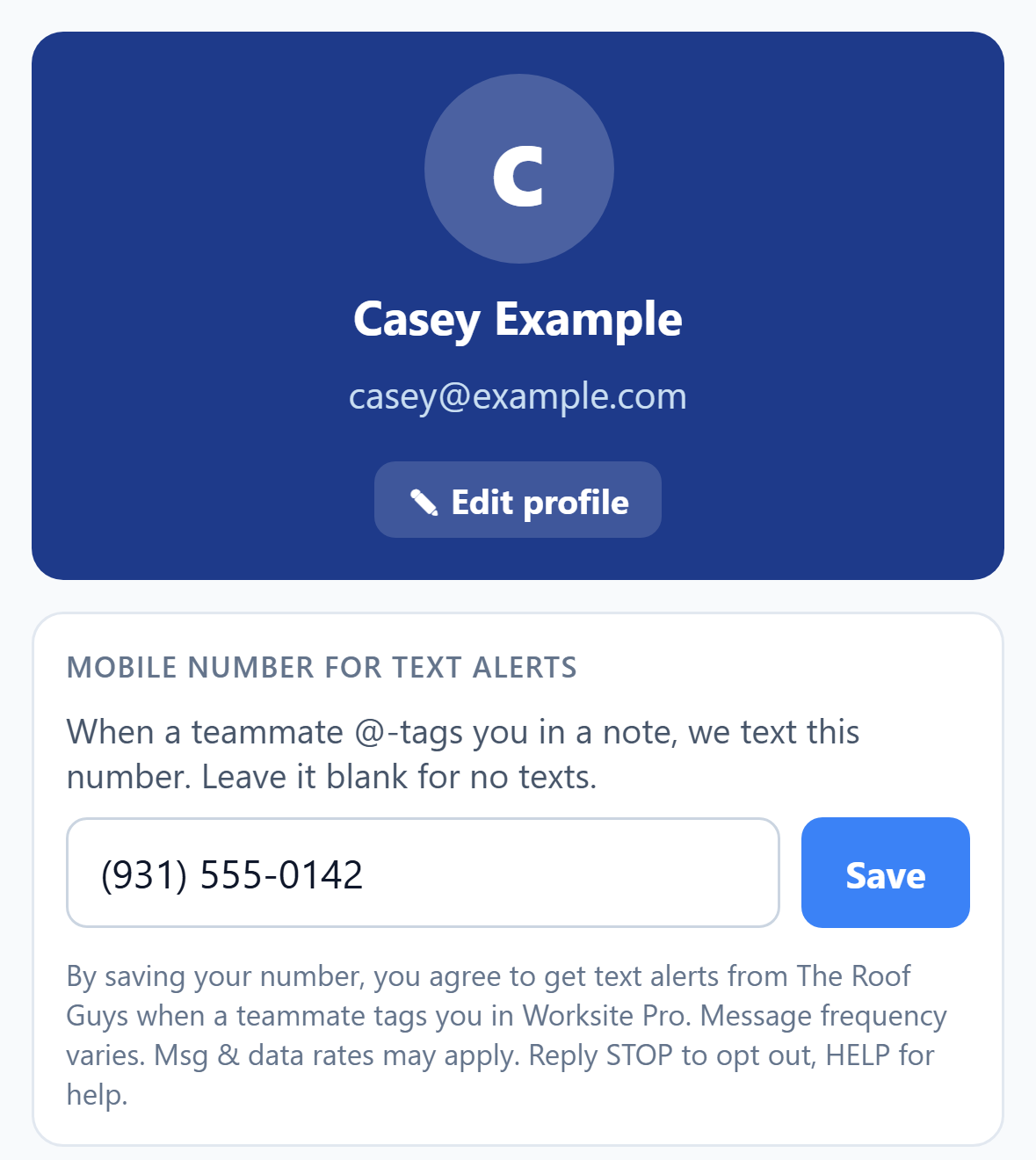
- In the iPhone app: Profile → “Mobile number for text alerts”.
- For a teammate (owners and admins): Settings → Team → “Add mobile #” next to their name, only after they have agreed to get text alerts.
Enter your own mobile number and tap Save. Text alerts are optional and are not required to use Worksite Pro. This consent text is shown directly under the number field, next to the Save button:
By saving your number, you agree to get text alerts from The Roof Guys when a teammate tags you or adds a supplement note to a job you manage in Worksite Pro. Message frequency varies. Msg & data rates may apply. Reply STOP to opt out, HELP for help.
Sample message
TRG: 412 Oak St - Adjuster approved the supplement, please call the homeowner Reply STOP to opt out
Message frequency, rates and opting out
- Message frequency varies. You get a text only when a teammate tags you in a note or adds a supplement note to a project you manage.
- Msg & data rates may apply.
- Reply STOP to opt out at any time, or clear your number in the app (Settings → Team on the web, or Profile in the iPhone app) and tap Save.
- Reply HELP for help, or email grant@theroofguystn.com (Monday–Friday, 8am–5pm CT).
- Carriers are not liable for delayed or undelivered messages.
Privacy and terms
No mobile information will be shared with third parties/affiliates for marketing/promotional purposes. See our Privacy Policy and Terms of Service.